A siddur that knows what day it is.
סידור שיודע איזה יום היום
Siddur is a prayer book app for iPhone, iPad and Android. It opens to the right tefillah for right now, with today's additions in place and the lines you don't say today left out.
Two weeks free, then $0.29 a month or $9.99 once. No ads, no account. Ashkenaz, Sefard, Ari and Edot HaMizrach.
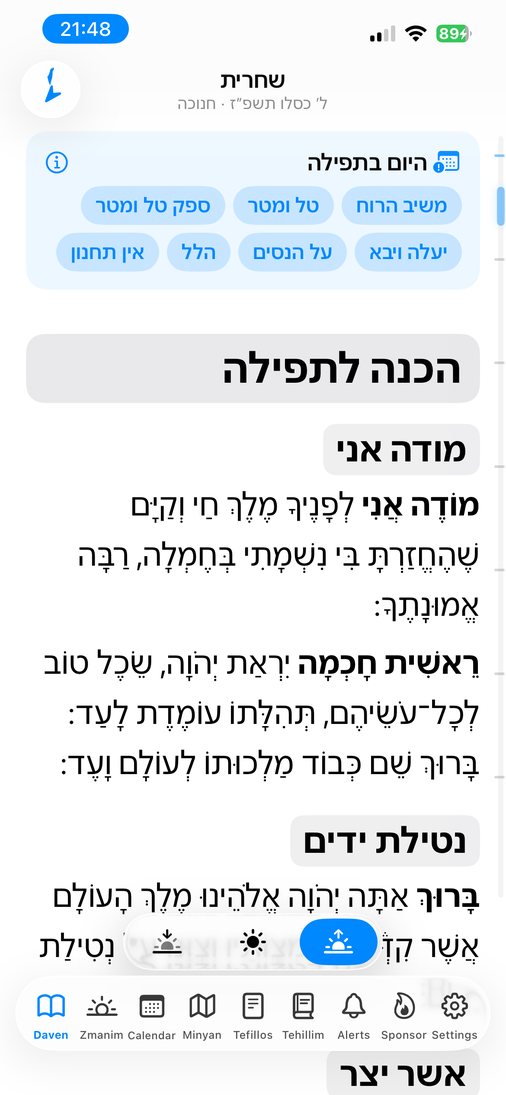
Today, by the Hebrew calendar
This page works it out from today's date and your time zone. The app also uses your location and the zmanim, so the text changes at nightfall, not at midnight. See how it works.
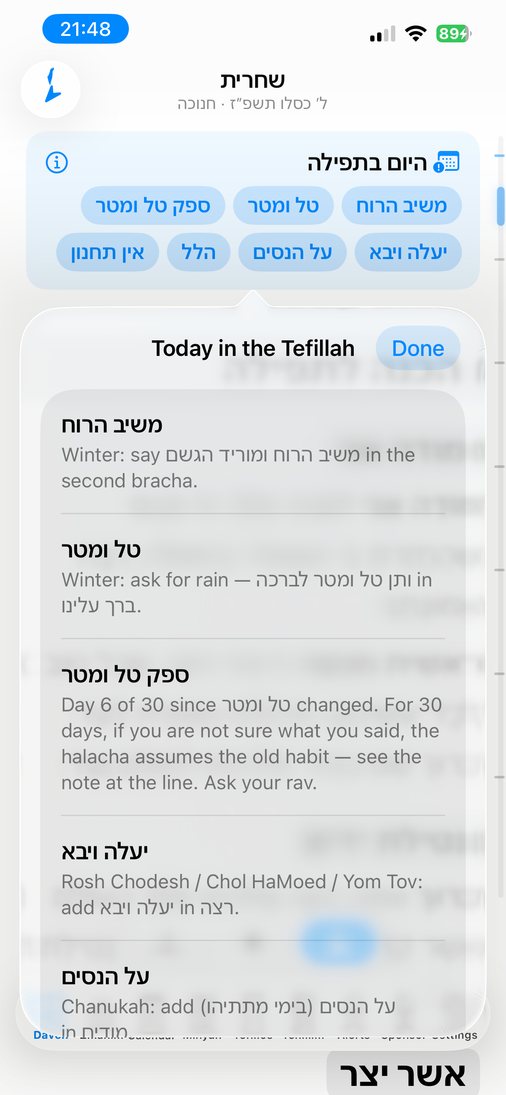
It already knows what's different today.
Rosh Chodesh, Chol HaMoed, Chanukah, a fast day, the Aseres Yemei Teshuvah. Siddur works it out from the date and where you are, and sets the text for you.
- A card at the top says what changes today. Tap it for a short explanation.
- Lines not said today are hidden, or shown dimmed if you prefer.
- Hallel, Musaf, Hoshanos and the Torah reading appear on the days they belong.
- For 30 days after mashiv haruach or tal umatar changes, a reminder sits by the line.
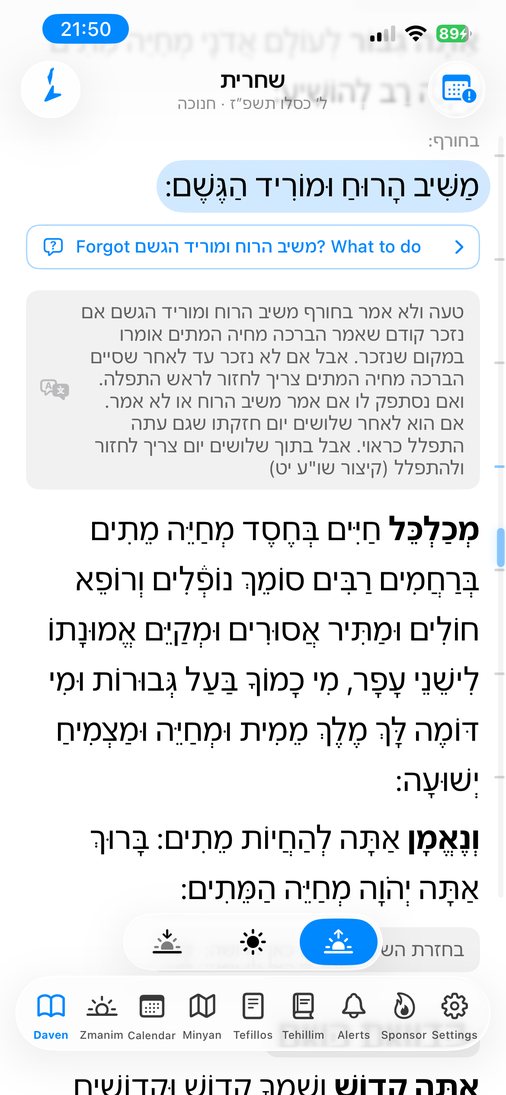
Forgot a line? The answer is right there.
Right under משיב הרוח, טל ומטר, יעלה ויבא or על הנסים, one tap tells you what to do from where you are now: say it here, go back, or daven again.
- Covers the lines that change by the day, including Rosh Chodesh at Maariv and the Aseres Yemei Teshuvah.
- Each answer shows its source in the Shulchan Aruch and Mishnah Berurah.
- The small print of the siddur becomes clear notes. Tap any note to read it in English.
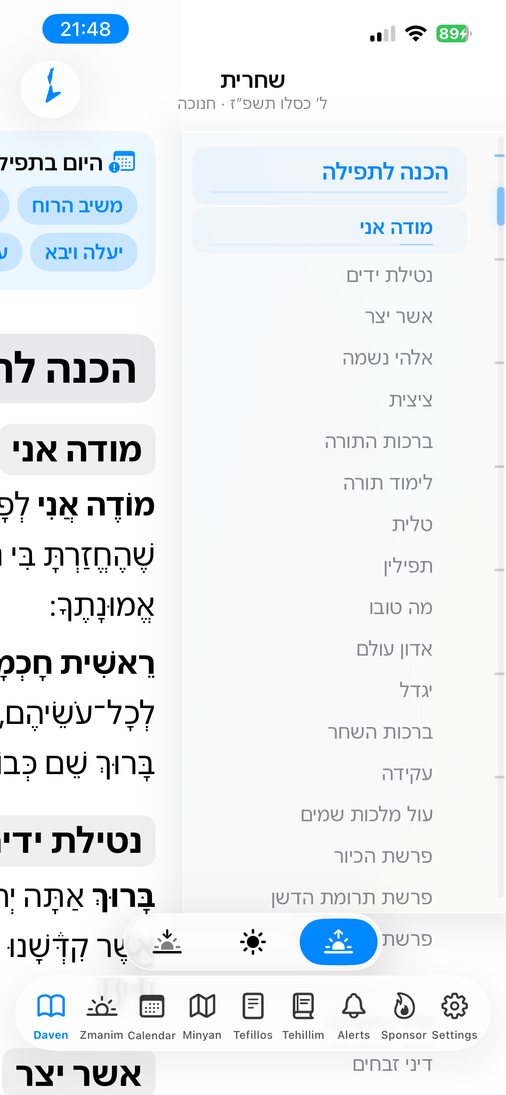
Jump to any part in one move.
A slim rail on the edge shows where you are. Tap it to see every section of the tefillah, or drag it to move through the text.
- Pinch to make the text bigger or smaller. It re-flows as you go.
- Clear Hebrew fonts, with or without nekudos.
- The right tefillah opens by itself for the time of day.
- Transliteration under the Hebrew, with the stressed syllable in bold.
- Works offline. Every text is inside the app.
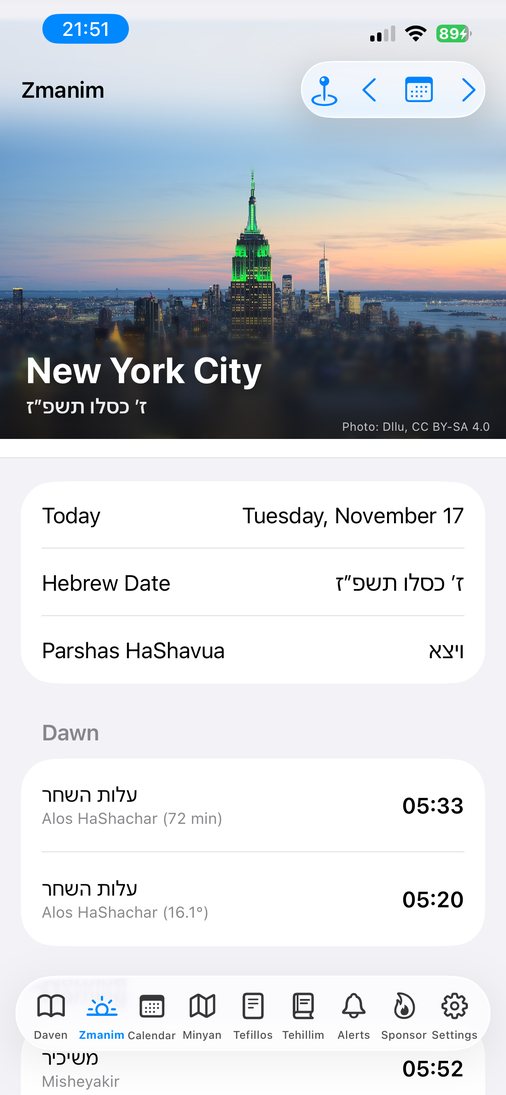
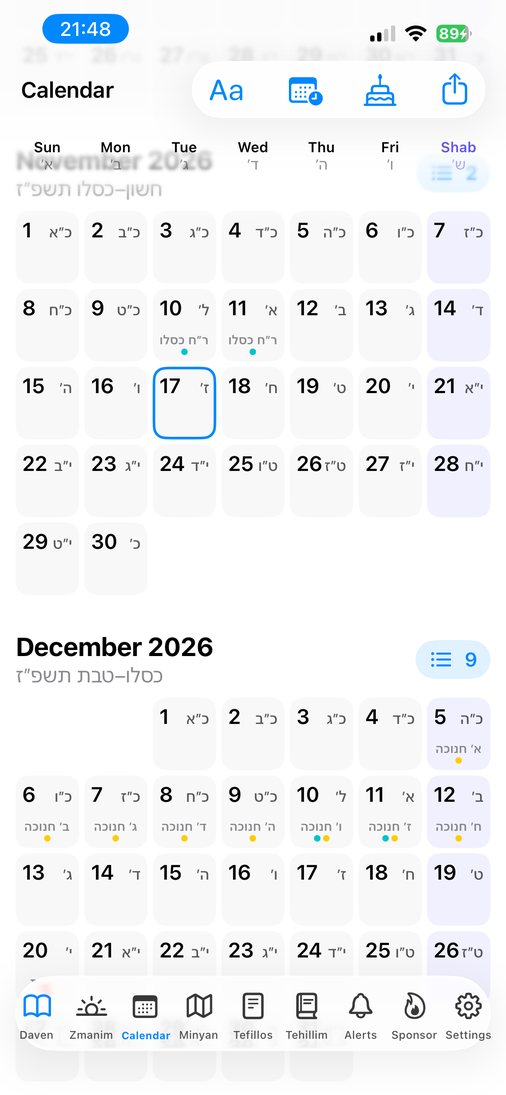
Zmanim for exactly where you are.
From alos to tzeis, worked out for your location. A Hebrew and civil calendar shows every Yom Tov, fast, Rosh Chodesh and the Omer.
- Tap any day for its zmanim.
- Candle lighting, havdalah, fast start and end, Chanukah lighting and Erev Pesach chametz times.
- Knows when you're in Israel, with two days of Yom Tov for visitors who keep them.
- Export Yom Tov, fasts and times to your Calendar app. Pick exactly what goes in.
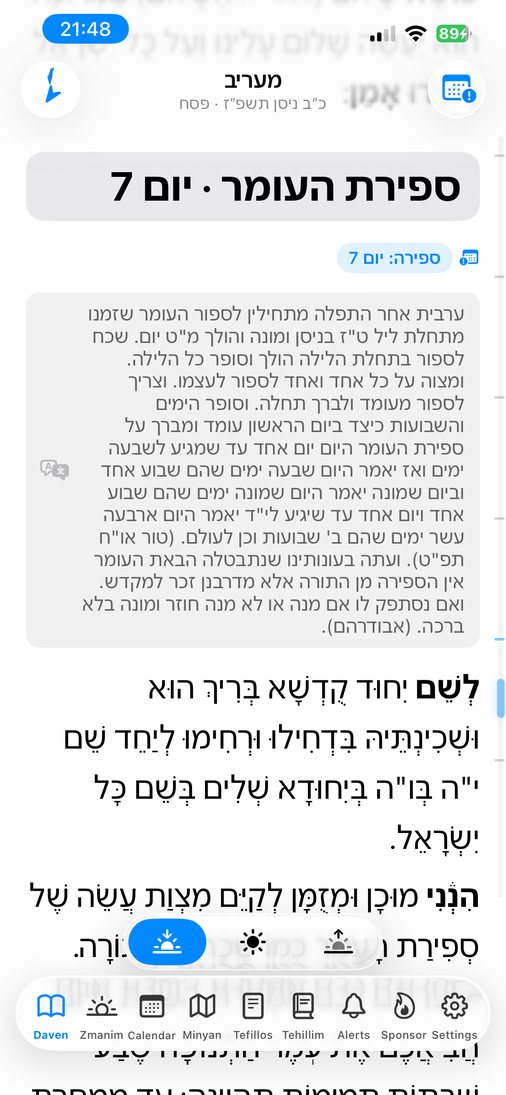
Sefiras HaOmer, counted for you.
During the Omer, Maariv shows tonight's count with its bracha, right before Aleinu. Only tonight's line, nothing to search for.
- A reminder at tzeis with an "I counted" button, right on the alert.
- Forgot last night? A morning note tells you to count without a bracha and go on.
- Tonight's count on your Home Screen and in Control Center.
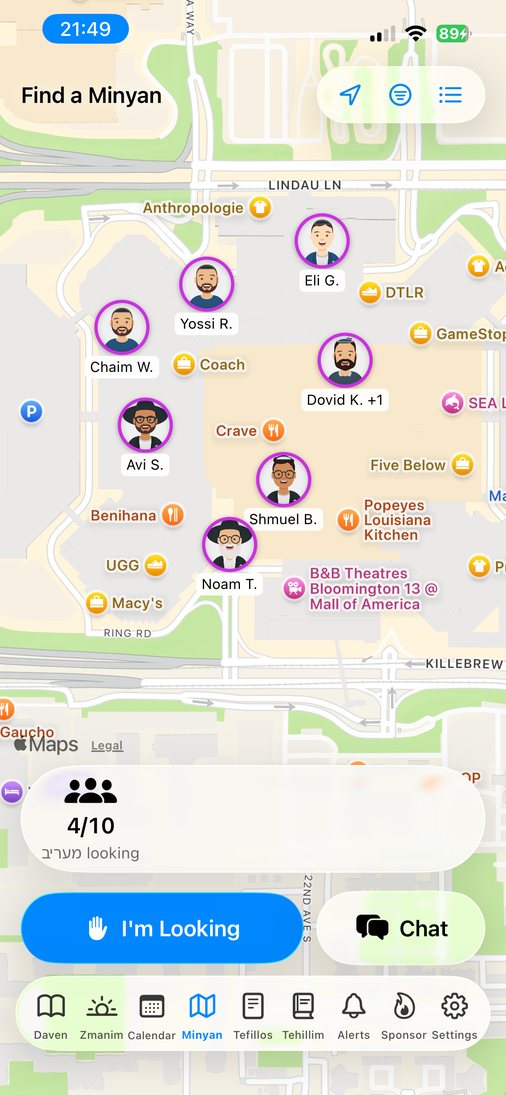
Need a minyan? See who's nearby.
Tap "I'm Looking" and people around you see it on the map. A chat for everyone nearby lets you agree where to meet.
- Get an alert when a minyan forms near you.
- No account. Just pick a display name.
- Report and block in every chat. A person reviews every report.
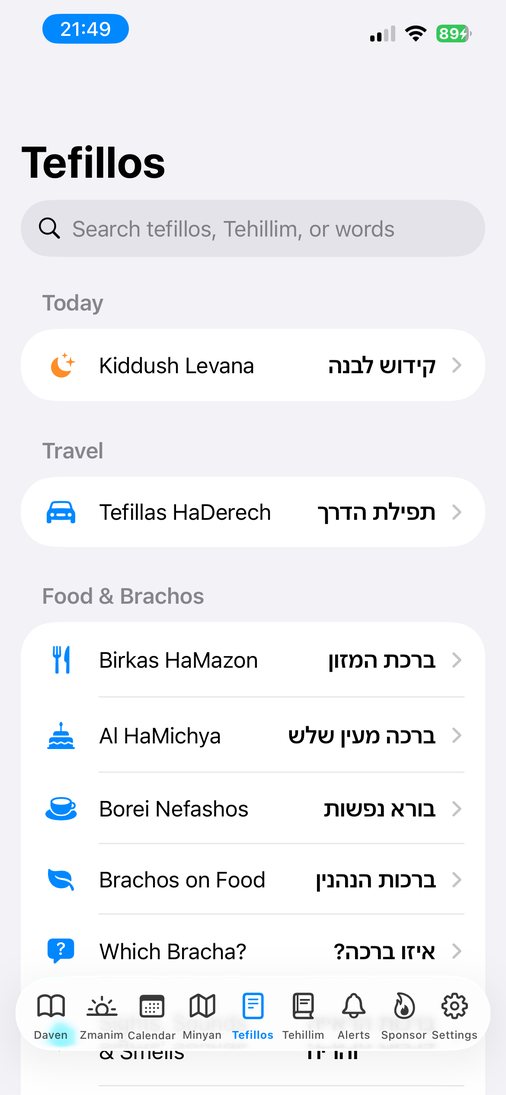
Tehillim, brachos and the rest, a search away.
Birkas HaMazon, Al HaMichya, brachos, Tefillas HaDerech, Kiddush, Havdalah, Krias Shema al HaMitah, Kiddush Levana, Selichos for each day, the Haggadah, the Megillos, Kinos and all of Tehillim.
- Search by name, by perek number, or by words in the text.
- Today's extras come first, like Lulav and Hoshanos on Sukkos.
- Which Bracha? Type a food and see the bracha before and after it.
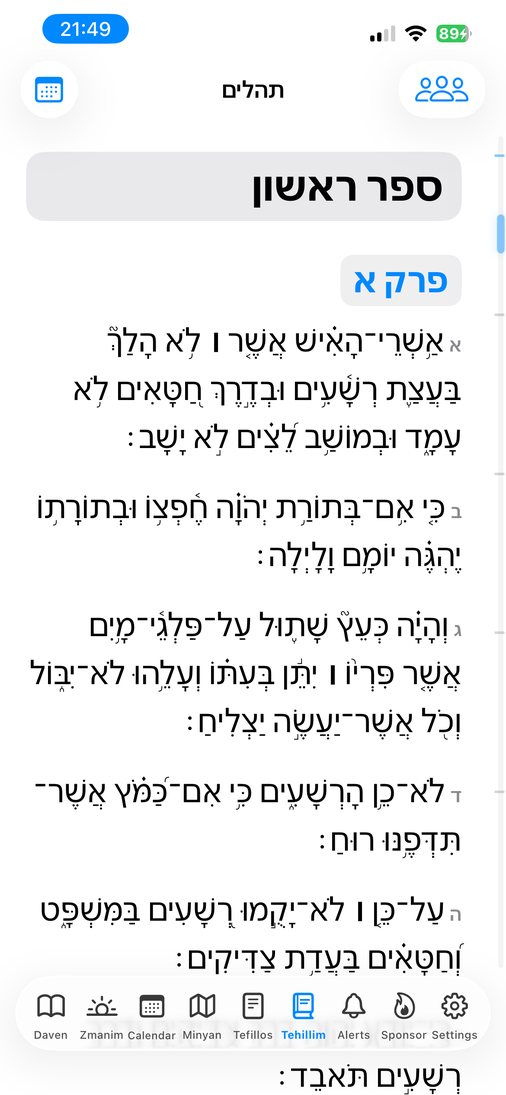
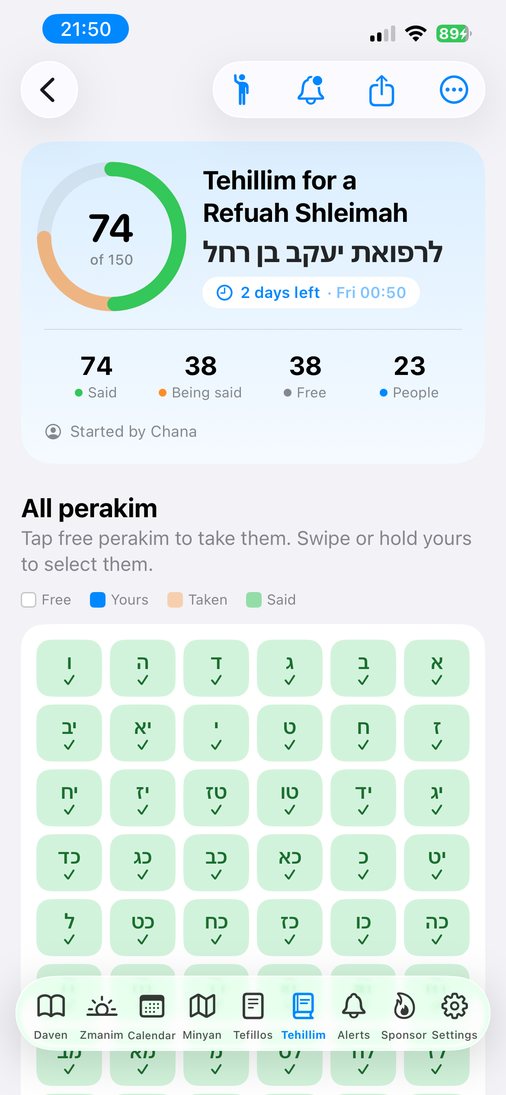
Say Tehillim, alone or together.
All 150 perakim with clear text. Or start a Tehillim group for a refuah or an ilui nishmas: everyone takes a few perakim, and the circle fills as they are said.
- See who is saying what, and how much is left before the deadline.
- Ask the group for help with one tap. Everyone gets an alert.
- Tehillim for a name: the verses of Tehillim 119 for each letter.
Finish all of Tehillim, together.
Start a group for a refuah, an ilui nishmas or any reason. Share one link. Everyone takes a few perakim until all 150 are said. It works in any browser, with no app, and it is free.
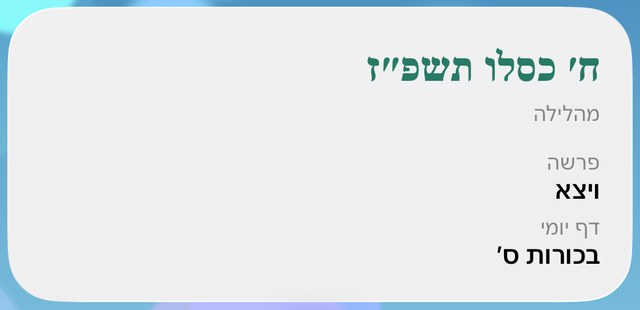
Today, on your Home Screen.
The Hebrew date, this week's parsha and the Daf Yomi at a glance. The date moves on at nightfall.
- Pick the lines you want: holiday, Omer, parsha, Daf Yomi, Yerushalmi.
- Hebrew or English names.
- Also on the Lock Screen, with the next zman and live candle lighting.
And the small things
The details that make a siddur feel right.
- Sefiras HaOmer
- Tonight's count in Maariv, a reminder at tzeis, and a morning note if you didn't count.
- Toward Jerusalem
- A compass that points to Har HaBayis and turns green when you face it.
- Reminders
- Zmanim, candle lighting, fasts and the Omer. Never during Shabbos or Yom Tov.
- Closed on Shabbos
- The app locks on Shabbos and Yom Tov and opens again by itself after.
- Four nusachim
- Ashkenaz, Sefard, Ari and Edot HaMizrach, with your minhag for מוריד הטל and Hoshanos.
- Yahrzeits
- Your family's yahrzeits and names, plus yahrzeits of gedolim in the calendar, with alerts if you want them.
- Hebrew birthday
- Find any Hebrew birthday in the Calendar tab.
- Widgets and Live Activities
- The next zman and tonight's Omer count on your Home Screen. Candle lighting and the minyan count live on the Lock Screen and in the Dynamic Island.
- Siri and Spotlight
- Say "Daven Mincha in Siddur" or "Tehillim 23 in Siddur". Search any tefillah or perek from your Home Screen.
- Davening as a man or a woman
- Pick one and the text follows your nusach: מוֹדֶה or מוֹדָה, the right morning brachos, and no tallis and tefillin parts for women.
- Sponsor a day
- Dedicate a day of tefillos. Everyone sees your dedication at the top of Siddur all day.
- Light and dark
- Easy on the eyes for Maariv, with your choice of color.
- Three languages
- Menus in English, Hebrew or Spanish.
- Works anywhere
- The texts are on your phone. Zmanim follow you when you travel.
What it costs
No ads and no account. Every option gets the whole app.
Can't pay, for any reason? Email [email protected] for a free code. No questions asked.
Questions
What is Siddur?
Siddur is a Jewish prayer book app for iPhone, iPad and Android. It opens to Shacharis, Mincha or Maariv by the time of day and puts in the additions for today's date, like Yaaleh V'yavo on Rosh Chodesh, Al HaNisim on Chanukah and tal umatar in the winter. It also has zmanim, a Hebrew calendar, a minyan finder and Tehillim groups.
Which nusach does Siddur have?
Ashkenaz, Sefard, Ari and Edot HaMizrach. Pick yours in Settings. You can change it any time.
How does it know what to say today?
From the Hebrew date, the zmanim and your location, including whether you're in Israel. It follows the standard rules for each addition, like Yaaleh V'yavo, tal umatar and Hallel. If something looks wrong, email us and we'll fix it.
I'm visiting Israel and keep two days of Yom Tov.
Turn on "Keep 2 Days Yom Tov" in Settings. The tefillos and the calendar follow it.
Does it work on iPad and Android?
Yes. Siddur is on the App Store for iPhone and iPad, and on Google Play for Android phones.
Does it work without internet?
Yes. Every tefillah is inside the app. Only the minyan map, chat and Tehillim groups need a connection.
Can I use it on Shabbos?
No. The app locks on Shabbos and Yom Tov, and it opens again by itself when they end. Reminders never go off on Shabbos or Yom Tov.
Does it have transliteration?
Yes. Turn it on to read along in English letters under the Hebrew. The stressed syllable is in bold.
How do I split Tehillim with a group?
Start a Tehillim group in the app or at thesiddur.app/start. Share the link. Each person takes a few perakim, and the group sees when all 150 are done. People can join from any browser without the app.
How much does Siddur cost?
Two weeks free, then $0.29 a month or $9.99 one time. There are no ads. If you can't pay, email [email protected] for a free code.
Where do the texts come from?
From Sefaria, under their open licenses. Each edition is credited in the app.
What do you do with my data?
The siddur, zmanim and calendar never leave your phone. Only the minyan and Tehillim features send anything, and only what they need. See the privacy policy.