Siddur › Features › Today widget
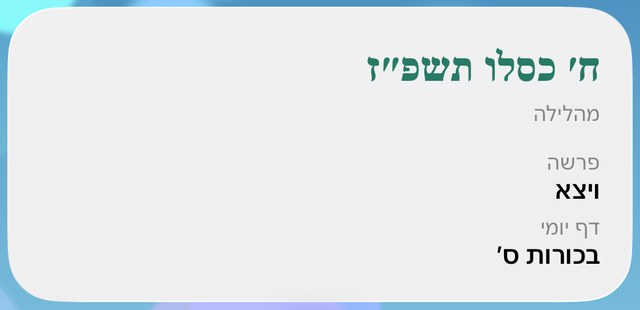
Hebrew date, parsha and Daf Yomi widget for iPhone
The Hebrew date, this week's parsha and the Daf Yomi at a glance, on your Home Screen or Lock Screen. The date moves on at nightfall.
Two weeks free, then $0.29 a month or $9.99 once. No ads.
How it works
- Touch and hold the Home Screen or Lock Screen, tap Edit, then Add Widget.
- Pick Siddur, then Today, and choose a size.
- In Siddur, go to Settings → Today Widget to pick the lines: holiday, Omer, parsha, Daf Yomi, Yerushalmi.
- Hebrew or English names.
- Small and medium Home Screen sizes, and two Lock Screen styles.
- Next zman and live candle lighting widgets too.
Questions
When does the Hebrew date change?
At nightfall at your location, like the Hebrew day.
Can I hide the Daf Yomi?
Yes. Each line has its own switch in Settings → Today Widget.
More in Siddur: Today's tefillah · I forgot… help · Zmanim & calendar · Sefiras HaOmer · Minyan finder · Tehillim & groups · Alerts · Which Bracha?